
Technology
iOS 26.1: The Game-Changing iPhone Update You Didn’t Realize You Needed

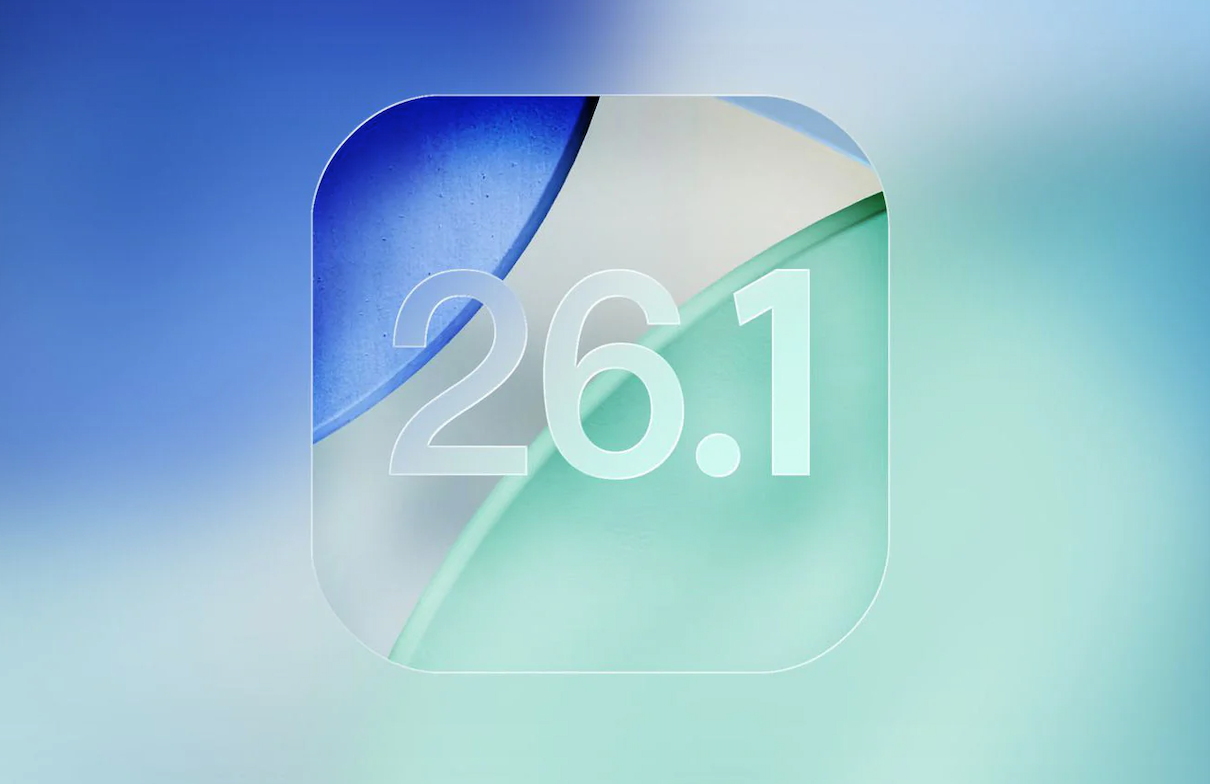
Apple’s iOS updates have historically delivered a blend of headline features and subtle refinements, but iOS 26.1 stands out for transforming everyday iPhone use in ways users never expected. While the spotlight often falls on performance boosts and interface polish, the most influential improvements are the ones that evolve habits, shave seconds off daily tasks, and create deeper personalization. With hidden upgrades discovered through in-depth testing by tech analysts, iOS 26.1 reshapes productivity, communication, design aesthetics, and device control quietly but powerfully.
Below, we explore these enhancements in depth, revealing why iOS 26.1 has become the most thoughtfully engineered iPhone update of the decade.
1. Reminders Reimagined: A Productivity Engine Built Into Every Corner of iOS
The Reminders app has always been functional but never this effortless. iOS 26.1 reinvents reminder creation, embedding it directly into system layers for lightning-fast access.
Instant Task Entry Wherever You Are
Apple removes the old friction of tapping through menus. Reminders now appear naturally within the places users already navigate:
- New Control Center tile for instant task creation
- Lock Screen widget feed to jump directly into reminders
- Action Button mapping supports one-tap task entry
- Voice and Scribble prompts on the Lock Screen for hands-free or tap-free input
This turns Reminders into a fluid system-level assistant, not merely an app.
What’s Coming in iOS 26.2: The ‘Urgent’ Priority Layer
Buried within iOS 26.1 are indicators pointing to a major upcoming feature Urgency Tags. Expected enhancements include:
- Priority-based notification hierarchy
- Automatic task classification
- Calendar-integrated deadlines
- AI-powered time-sensitive reminders
This creates a productivity system that anticipates user needs before they act.
2. Messages Overhauled: Cleaner, Smarter, and More Collaborative
iMessage remains central to the iPhone experience, and iOS 26.1 refines it into a streamlined communication hub.
In-Chat Polling for Group Decisions
Say goodbye to chaotic group planning. iOS 26.1 adds a built-in polling tool:
- Multi-option polls
- Real-time vote visualization
- Auto-close timers
- Cleaner coordination for groups
From travel itineraries to lunch decisions, chats now feel more structured.
Partial Message Selection: The Most Requested Feature
Users can now highlight exact parts of a message, including:
- A sentence
- A snippet
- A phone number
- A specific set of details
This enhancement makes copying, forwarding, and sharing significantly more precise and professional.
3. Liquid Glass UI: The Most Personal iOS Interface Ever Released
A quietly introduced gem, Liquid Glass transforms iOS visuals into a customizable aesthetic framework.
Three Dynamic Transparency Modes
Users can now control the depth and texture of iOS layers:
- Crystal Clear – bold transparency
- Soft Tint – color-blended translucency
- Frosted Blur – premium matte diffusion
The result is an interface that feels handcrafted and immersive.
Advanced Accessibility Enhancements
Liquid Glass isn’t only visual—it’s functional. iOS 26.1 adds:
- High contrast UI elements
- Smart Clarity Filters
- Reduced transparency mode
- Subtle edge borders for tap targets
This design system allows every user to tailor their interface for comfort, visibility, and preference—without sacrificing beauty.
4. Camera & Audio Capture Reinvented for Content Creators
The iPhone camera already leads the industry, but iOS 26.1 enhances audio and capture control in transformative ways.
Use AirPods as a Live Wireless Microphone
Creators can now film with AirPods as their dedicated recording mic, offering:
- Clearer voice isolation
- Directional audio (model dependent)
- Wireless freedom for vlogging
- Reduced environmental noise
This elevates mobile content creation significantly.
New Lock Screen Camera Controls
Users can now disable swipe-to-open camera activation, improving:
- Privacy management
- Pocket protection
- Accidental camera prevention
For creators and privacy-conscious users alike, control has never been tighter.
5. Siri Gets Smarter: New Call Tools That Work Quietly in the Background
Siri improvements in iOS 26.1 focus less on conversation—and more on smart automation that respects the user’s time.
Hold Assist for Calls
iOS now listens for call pickup signals and pings the user when the line connects. This means:
- No need to stare at waiting screens
- Perfect for support calls
- Seamless multitasking while waiting
Type-to-Siri During Active Calls
A breakthrough addition:
- Execute Siri tasks silently
- Ideal in public or private conversations
- Supports multitasking without disrupting calls
Reduced Haptic Feedback Option
Silent mode becomes truly silent with optional removal of call vibration feedback.
6. A Better Alarm System: Personalized Snooze & Smarter Control
iOS 26.1 gives alarms the customization users have been requesting for years.
Set Snooze Durations (1–15 Minutes)
Choose a snooze cycle that matches your lifestyle, whether:
- Micro-snoozing for light sleepers
- Longer intervals for deep sleepers
- Productivity timers for task sprints
Disable Slide-to-Stop
This prevents accidental alarm dismissals—ideal for heavy sleepers or busy mornings.
7. Ringtone Freedom: Add, Delete & Personalize with Zero Restrictions
iOS 26.1 introduces the biggest ringtone update in over a decade.
Import Audio via Files App
No more iTunes, conversions, or desktop syncing. Just:
- Upload audio
- Set as ringtone
- Manage from one screen
Swipe-to-Delete Management
Quick tone organization finally enters iOS.
8. Adaptive Power Mode: A Smarter Battery System That Respects User Choice
Apple introduces AI-powered battery optimization that:
- Reduces background energy waste
- Improves general device longevity
- Adjusts performance automatically
But for power users, Apple adds a Performance Priority toggle to disable adaptive throttling during:
- Gaming
- Editing
- Heavy browsing
- Multi-app workflows
9. Screenshot Intelligence: Turning Every Screenshot Into Searchable Knowledge
iOS 26.1 transforms simple screenshots into actionable data.
New Abilities Include:
- Text extraction
- Smart link detection
- Content recognition
- Visual data search
- One-tap shortcut actions
Perfect for students, creators, and professionals who rely on screenshot knowledge storage.
10. Additional Micro-Features That Create Macro-Level Impact
iOS 26.1 includes dozens of refinements, such as:
- Adjustable home screen icon sizes
- More grid layout options
- New ringtones and UI sound layers
- Enhanced camera privacy controls
- Richer iMessage collaboration tools
- Improved voice input recognition
Each change is subtle—but together, they create an iOS experience that feels more personal, intelligent, and fluid.
Conclusion: iOS 26.1 Is the Most Thoughtful Software Update in Years
With deeper customization, smarter communication tools, creator-grade audio enhancements, and groundbreaking UI personalization, iOS 26.1 marks a turning point in how the iPhone adapts to users—not the other way around.
It is the update that elevates:
- Productivity
- Personalization
- Communication
- Privacy
- Accessibility
- Device intelligence
…and it does so quietly, without forcing habits or overwhelming users.
iOS 26.1 proves that the best iOS updates aren’t always the loudest, they’re the ones that reshape the everyday.











Remote work technology is evolving rapidly across industries worldwide. Companies are increasingly relying on innovative digital tools to stay connected, collaborate effectively, and maintain productivity from anywhere. As these technologies advance, they’re fundamentally transforming how teams work together in the modern digital workplace.
How AI is Boosting Remote Productivity

Artificial intelligence (AI) is revolutionizing remote work in many ways. Intelligent assistants now help with scheduling, summarizing meetings, and automating repetitive tasks, freeing up employees to focus on strategic and creative work.
AI powered collaboration tools analyze productivity patterns and workflow trends, offering valuable insights to help teams optimize their processes. Additionally, smart chatbots provide instant support for common technical issues, minimizing downtime and keeping daily operations running smoothly.
Machine learning also streamlines remote hiring by quickly screening candidates and predicting team compatibility. These tools enable organizations to build stronger, more efficient distributed teams.
Cloud Collaboration Platforms: The Heart of the Digital Office

Cloud based collaboration platforms are now the backbone of remote work environments. They allow teams to store files, manage projects, and communicate seamlessly all in one digital space. This means employees can access essential resources from any location, whether they’re at home, a coffee shop, or traveling.
Many cloud platforms combine features like messaging, document sharing, and task management, making teamwork more flexible and efficient. Real time editing further enhances collaboration by allowing multiple users to work on the same document simultaneously, boosting productivity.
Security remains a top priority, with encryption and advanced authentication methods protecting sensitive data. These advancements give organizations confidence in using cloud technology for their remote operations.
Virtual Reality: Creating Immersive Remote Work Experiences

Virtual reality (VR) is opening up new possibilities for remote teams to interact in immersive digital environments. Employees can meet in virtual offices using avatars, making online meetings more engaging and collaborative.
VR spaces allow for dynamic brainstorming sessions with interactive whiteboards and shared virtual objects. Training programs benefit too, as employees can learn complex skills through realistic simulations.
While VR hardware is becoming more comfortable and affordable, many companies are experimenting with virtual headquarters to foster a sense of community and shared space, regardless of physical location. These advancements are making remote work more engaging and interactive.
Strengthening Security for Remote Teams

As remote work grows, so do cybersecurity challenges. Companies are investing in sophisticated security measures to protect their remote workforce. Multi layered authentication systems and endpoint protection tools help safeguard sensitive information.
Zero trust security models are gaining popularity, requiring all users and devices to verify their identity before accessing company systems. This method greatly lowers the chances of unauthorized access.
AI driven security monitoring tools analyze network activity in real time, alerting security teams to suspicious behavior immediately. This proactive defense helps organizations keep their data safe in an increasingly digital world.
5G: Enabling Faster, More Reliable Remote Connectivity

Fast and stable internet connections are essential for effective remote work. Thanks to the rollout of 5G networks worldwide, employees now experience higher speeds and lower latency, making video calls clearer and data transfers quicker.
This enhanced connectivity supports advanced tools like augmented reality, which require a strong internet to function smoothly. It also gives employees more flexibility, enabling them to work efficiently from different places such as home, cafes, or coworking spaces.
Automation and Smart Workflow Tools

Automation is transforming the way teams operate in the digital workspace. Smart workflow tools automatically assign tasks, track progress, and give managers clear insights into team performance.
Modern productivity platforms analyze workloads and suggest optimal schedules for deep work sessions, helping employees stay organized and efficient. Automation also reduces time spent on manual administrative tasks, freeing up your team to focus on innovation and strategic initiatives.
Improving the Remote Employee Experience

Companies are increasingly using digital employee experience platforms that combine communication, HR services, and learning resources into a single interface. This simplifies access to essential tools and supports employee engagement.
These platforms often include feedback and recognition features, helping managers monitor satisfaction levels and strengthen workplace culture despite physical distance. Integrated learning systems enable employees to upgrade their skills through online training, promoting continuous growth in a remote setting.
The Rise of Hybrid Work Models

Hybrid work models blending remote flexibility within office collaboration are becoming the new standard. Employees split their time between working from home and coming into the office, providing greater flexibility and work life balance.
Technology plays an important role in helping hybrid teams work smoothly and stay connected. Smart meeting systems ensure remote participants can engage equally with office colleagues, with features like automatic camera focus on active speakers. Digital platforms synchronize tasks across locations, making collaboration seamless regardless of where team members are based.
Embracing the Future of Digital Work

The landscape of remote work technology is set to continue evolving with innovations like AI, cloud platforms, virtual reality, and advanced cybersecurity. These tools are making remote teams more efficient, secure, and connected.
Forward thinking organizations that adopt these cutting edge solutions will gain a competitive edge, while employees benefit from increased flexibility, better collaboration, and enhanced productivity. The future workplace will be more intelligent, immersive, and resilient powered by the latest remote work technologies.

PDF files remain the standard format for professional and academic documentation. Reports, contracts, research papers, and policies frequently appear as PDFs.
However, reading large documents requires significant time and concentration. Important information often hides within hundreds of pages.
Therefore, AI-assisted PDF tools have become essential productivity solutions. These tools allow users to ask questions directly inside documents.
Instead of scrolling endlessly, users simply interact through natural language prompts. Consequently, answers appear instantly with relevant context from the document.
Professionals, students, analysts, and administrators benefit from this technology. Moreover, these tools simplify complex documents without requiring technical expertise.
The best AI PDF platforms combine conversational intelligence with reliable document referencing. Additionally, they integrate smoothly with common workflows.
Below are the leading AI-assisted PDF tools of 2026 for extracting insights and answers quickly.
Best Overall AI PDF Tool for Everyday Use
Adobe Acrobat AI Assistant
Adobe Acrobat leads the market for AI-powered document interaction. The platform integrates conversational AI directly into its PDF environment.
Users can ask questions about any uploaded document instantly. Furthermore, the AI assistant highlights sections that support each answer.
The system also generates document summaries quickly. Consequently, professionals understand long reports without extensive reading.
Another advantage involves seamless workflow integration. Users can read, highlight, comment, and ask AI questions inside one interface.
Additionally, the platform preserves document formatting and structure. Therefore, information remains accurate and easy to verify.
However, advanced AI features require a subscription plan. Nevertheless, the tool remains ideal for everyday professional document analysis.
Overall, Adobe Acrobat balances reliability, accessibility, and conversational intelligence effectively.
Best AI PDF Tool for Academic and Research Analysis
ChatPDF
ChatPDF specializes in analyzing research papers and technical documents. The tool focuses entirely on conversational document interaction.
Users upload a PDF and immediately start asking questions. For example, students can request summaries of complex academic papers.
Furthermore, ChatPDF highlights passages supporting each response. This transparency improves trust in AI-generated answers.
Researchers benefit from fast extraction of key insights. Consequently, reviewing large academic materials becomes far more efficient.
The interface remains intentionally minimal. Therefore, users concentrate on conversation instead of complex navigation.
However, ChatPDF lacks advanced document management features. Additionally, it usually analyzes one document at a time.
Despite limitations, ChatPDF excels at understanding dense research materials quickly.
Best AI Tool for Cross-Document PDF Insights
Humata
Humata focuses on analyzing multiple PDFs simultaneously. This feature makes it powerful for comparative research tasks.
Users upload several documents and ask cross-document questions. Consequently, the AI identifies patterns across different files.
For example, analysts can compare research reports or policy documents instantly. Moreover, Humata provides citations from each source document.
These citations help verify the accuracy of extracted information. Therefore, users maintain confidence in AI-generated insights.
The platform emphasizes analysis instead of traditional editing features. As a result, annotation tools remain limited.
However, researchers working with large document collections find significant value here. Additionally, organizations use Humata for knowledge discovery across archives.
Overall, Humata performs best within research-heavy environments.
Best Lightweight AI Tool for Quick PDF Summaries
AskYourPDF
AskYourPDF provides simple conversational access to uploaded documents. The tool prioritizes speed and ease of use.
Users upload a file and immediately begin chatting with the content. Consequently, summaries appear within seconds.
The interface remains clean and straightforward. Therefore, beginners quickly understand how the system works.
Additionally, AskYourPDF answers simple factual questions effectively. For example, users can locate clauses or definitions instantly.
However, advanced document analysis features remain limited. Moreover, users cannot control document context deeply.
Despite these limitations, the tool performs well for fast document insights. Many users rely on it for quick summaries and brief reviews.
Thus, AskYourPDF suits professionals needing lightweight PDF intelligence.
Best AI PDF Tool for Design-Focused Workflows
Canva AI Document Tools
Canva integrates AI document insights into its visual design ecosystem. This approach benefits teams creating presentations or visual reports.
Users upload PDFs and generate AI summaries quickly. Afterwards, they convert insights into slides or visual layouts.
Consequently, content moves smoothly from document to presentation format. Marketing teams and educators frequently benefit from this workflow.
Additionally, Canva offers an intuitive interface familiar to many users. Therefore, learning the system requires minimal effort.
However, document analysis remains secondary to design features. Detailed text analysis therefore remains limited.
Nevertheless, Canva excels when visual communication accompanies document review.
Using Stylus Devices with AI PDF Tools
Many professionals combine AI analysis with manual review. Stylus accessories improve this workflow significantly.
For example, tablets allow users to annotate documents after AI summarization. This process strengthens understanding and collaboration.
Users first extract insights through conversational AI. Afterwards, they highlight or annotate key sections manually.
Stylus tools enable handwritten notes and precise highlighting. Consequently, human judgment complements automated insights.
This combination keeps AI analysis and human review balanced. Moreover, teams maintain control over final interpretations.
Frequently Asked Questions About AI PDF Tools
What questions work best with AI PDF tools?
These tools perform best with factual queries and summaries. They also locate specific sections quickly.
How do AI PDF tools differ from traditional search?
Traditional search relies on keywords only. Conversational AI understands intent and contextual meaning.
Are AI PDF tools safe for sensitive documents?
Security depends on each platform’s data policies. Therefore, organizations should review privacy practices carefully.
When should users choose a full PDF platform?
Full platforms work best for workflows involving editing, annotation, and document management.
Conclusion
AI-assisted PDF tools transform how people interact with complex documents. Instead of manual reading, users simply ask intelligent questions.
Consequently, professionals save time while gaining deeper insights. Moreover, these tools make dense information far more accessible.
Adobe Acrobat offers the most balanced everyday solution. Meanwhile, ChatPDF and Humata excel in research environments.
Ask Your PDF provides fast summaries, whereas Canva supports creative workflows. Therefore, users can choose tools based on their specific needs.
As conversational AI evolves, document analysis will continue improving. Ultimately, AI-powered PDFs will redefine knowledge discovery across industries.

Meta is expanding its AI driven content ecosystem by testing a dedicated app for its Vibes AI video feature. The company confirmed the development as part of its strategy to strengthen short-form AI content creation and compete in the growing AI powered social media space.
The Vibes feature, first introduced last year by Meta Platforms, Inc., allows users to generate short AI videos, customize visuals, and share content through social feeds. Until now, Vibes existed inside the Meta AI app, but the company is now testing a standalone version to improve user experience and engagement.
What Makes the Vibes App Different?
The new standalone Vibes app will function similarly to popular short video platforms like TikTok style feeds, but with one key difference: every video is AI generated.
Users can create videos from scratch or remix existing AI content. The editing tools allow users to add music, adjust visual styles, and enhance creative elements before sharing. Videos can be posted directly to the Vibes feed or shared across platforms such as Instagram and Facebook Stories and Reels.
Meta says users are increasingly using Vibes to create and share content with friends, reflecting social behavior patterns similar to traditional short video platforms.
Competing in the AI Video Market
The standalone Vibes app positions Meta as a stronger competitor in the AI video content race, especially against platforms like OpenAI, which launched its AI video platform Sora.
Meta believes a dedicated app will provide a more immersive environment for AI creators. Instead of mixing AI video tools inside a broader AI assistant platform, Vibes will offer a focused creative space for content discovery and sharing.
Monetization and Future AI Features
Meta is also exploring subscription based AI services across its platforms. The company plans to test freemium access for Vibes video creation, allowing users to create a limited number of videos for free while offering premium subscription features for advanced creation tools.
These tests align with Meta’s broader subscription experiments across Facebook, Instagram, and WhatsApp.
The Future of AI Content Creation
Meta says Vibes usage continues to grow since its launch, even without exact user statistics being disclosed. The company plans to expand features based on community feedback.
If successful, Vibes could become a major player in the AI powered social content market, transforming how users create, edit, and share video content using artificial intelligence.


The Future of Remote Work Technology: Innovations Shaping the Digital Workspace

Ador Global Auditions 2026: K-Pop Label Behind NewJeans Opens Singapore Tryouts for Young Male Talent

Minecraft Experience Singapore 2026: Immersive Villager Rescue Adventure Arrives at Mandai Wildlife Reserve
Wedding day horror: Groom falls to death at VOCO Orchard Hotel on Wedding Day

EdTech in Singapore: 150+ Companies Driving $180M Digital Learning Revolution

Singapore JC Ranking: A Complete Guide for Students
-
Blog7 months ago
Wedding day horror: Groom falls to death at VOCO Orchard Hotel on Wedding Day
-
Technology6 months ago
EdTech in Singapore: 150+ Companies Driving $180M Digital Learning Revolution
-
Education9 months ago
Singapore JC Ranking: A Complete Guide for Students
-

 Food5 months ago
Yi Dian Dian Bubble Tea Singapore: Menu, Outlets & Try Drinks
-
 Blog9 months ago
Best of SG with Singapore Rediscover Voucher
-
 Business9 months ago
What to Expect During PSLE Marking Days 2023
-
 Digital Marketing6 months ago
How to Run Effective Xiaohongshu Advertising Campaigns
-
 Digital Marketing6 months ago
Why Xiaohongshu Ads Are a Must for Reaching Chinese Consumers