Scams are among the most common crimes that Singapore residents face, and they affect people of every age and income level. Fraudsters use phone calls, text messages, social media, messaging apps and fake websites to trick victims into handing over money or personal details.
The Singapore Police Force (SPF), the Monetary Authority of Singapore (MAS), banks and telecommunications operators have built layers of protection, including the ScamShield app and bank safeguards such as transaction limits and money lock features. No tool can replace caution, however.
This guide describes the scams that residents meet most often, explains how ScamShield and bank protections work, and sets out what to do if you suspect fraud. Tools and rules change as scammers change tactics, so confirm current details with the official sources named below.
Common Scam Types Targeting Residents
Scammers rely on a few recurring stories. In phishing scams, a message that appears to come from a bank, a delivery company or a government agency asks you to click a link and enter your login details. The website looks real, but it is a copy designed to steal passwords and one-time codes. In impersonation scams, a caller claims to be from a government agency, the police, a bank or a courier firm, and tells you that you are in trouble. The caller then pressures you to transfer money to a so-called safe account or to share your details.
E-commerce scams involve fake sellers who take payment and never deliver, or fake buyers who send forged proof of payment. Job scams offer easy income for simple online tasks and then ask for deposits. Investment scams promise high returns with little risk, often with fake testimonials and screenshots. Romance scams build trust over weeks and then ask for money for an emergency. Loved-one scams use a hacked or cloned messaging account to ask friends and relatives for urgent loans.
The tactics change, but the pattern remains stable. Scammers create urgency, claim authority, ask for secrecy and push for payment or personal data. They want you to act before you think. If a message or call makes you feel rushed, scared or excited, that feeling is itself a warning sign.
The national anti-scam message uses three words. Add security features to your devices and accounts, check for signs of a scam before you act, and tell the authorities and your family about scams you encounter.
- Phishing: Fake messages or sites that capture your login details and one-time passwords.
- Impersonation: Callers who pose as officials and demand payment or personal data.
- Online shopping fraud: Sellers or buyers who take money or goods and vanish.
- Investment and job scams: Offers of high returns or easy income that lead to deposits and losses.
- Loved-one scams: Messages from hacked accounts that ask for urgent money.
Scams also follow the news and the calendar. Expect fake parcel notices around sale periods, fake refund messages around tax season and bogus ticket offers before popular concerts. Treat any offer linked to a major event with extra care, and buy only through official sellers. A good deal that appears in a stranger’s direct message is a red flag.
ScamShield: Blocking Calls and Messages
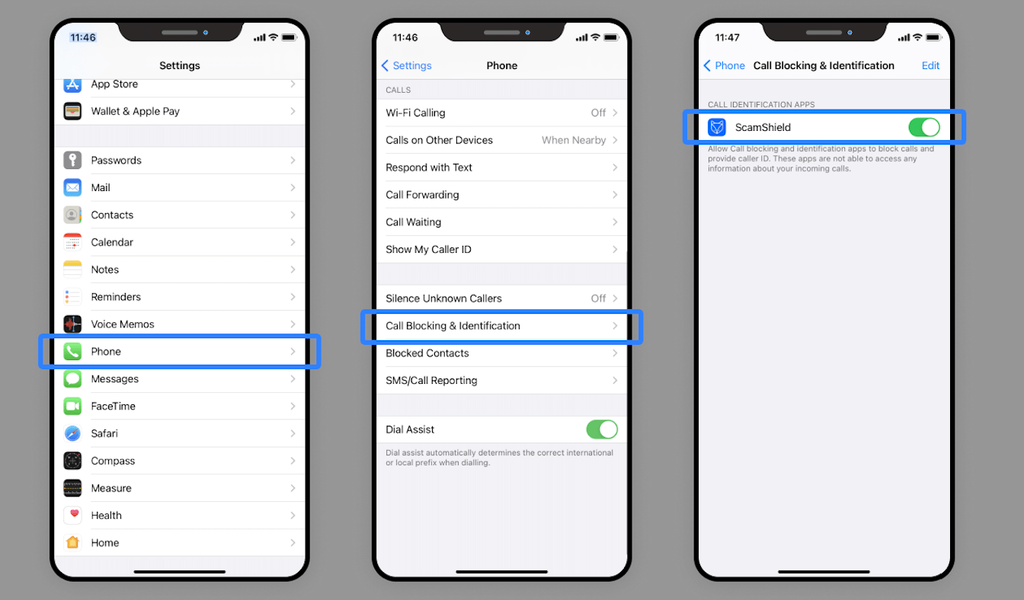
ScamShield is a free app developed by the National Crime Prevention Council (NCPC) and the SPF, with support from other agencies and telecommunications operators. It helps to filter suspected scam text messages and to block calls from numbers that have been reported as scams. The app is available for iPhone and Android devices, and the way it works differs slightly between them because of system rules. Install it from your device’s official app store, not from a link in a message.
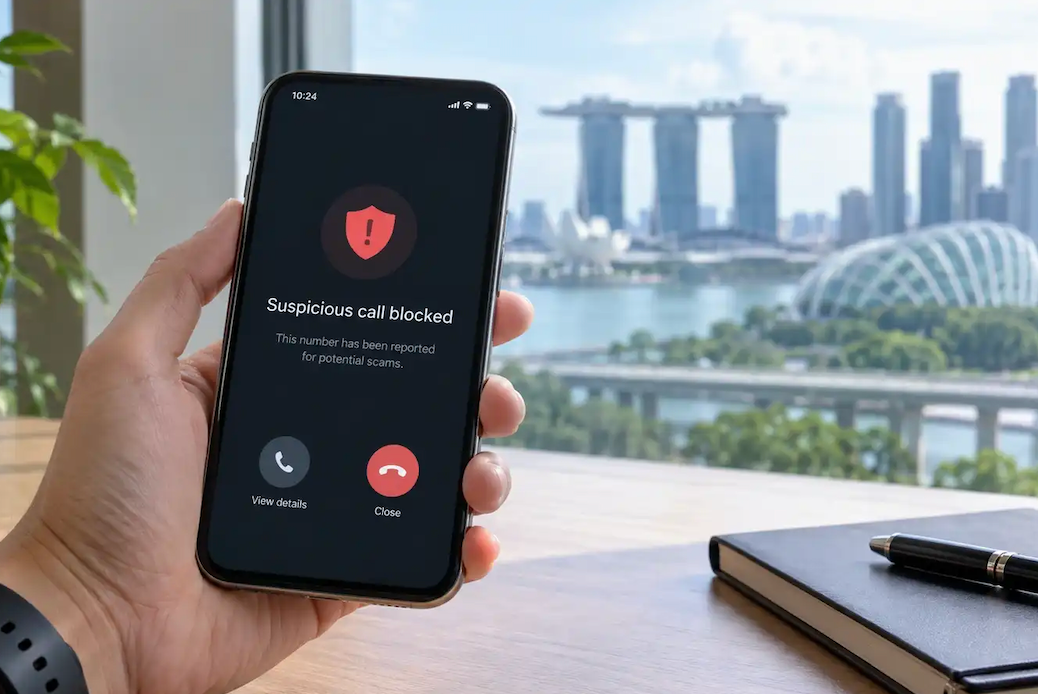
Once installed, the app can screen messages that your phone identifies as likely scams, move them to a junk folder and block calls from numbers on a list of known scam numbers. It also lets you report suspicious messages and numbers, which strengthens the shared database for everyone. The more people who report, the faster the system learns.
ScamShield also has a helpline, which you can call or message when you are unsure whether something is a scam. The helpline number is 1799. If you receive a suspicious message, you can ask the helpline for advice before you act. A short call may prevent a large loss.
The app is a filter, not a guarantee. Scammers change numbers and wording quickly, and some messages will get through. Keep the app updated, and treat unexpected requests with care even if no warning appears.
Another safeguard is the SMS Sender ID Registry, which lets organisations register the names they use for sending text messages. Registered senders appear with their names, and messages from unregistered senders using those names may be blocked or flagged. Treat messages with unfamiliar sender names with caution, and remember that a registered sender is a good sign but not proof that a link is safe.
- Install from official stores: Download ScamShield only from your device’s app store.
- Report suspicious items: Use the app to report messages and numbers so others are protected.
- Use the helpline: Call 1799 when you are unsure whether a message or call is real.
- Keep the app current: Update it regularly so that it can use the latest information.
Set realistic expectations for the app. It cannot read messages sent through every channel, and it works differently on different phones, so some scam messages will still appear in your inbox. Treat the filter as a safety net that catches a large share of obvious cases, and keep your own judgment switched on for the rest. If a message slips through, report it so that the filter improves.
Bank Safeguards and Digital Limits
Banks in Singapore have added several features to reduce losses from fraud. Many allow you to set a daily limit on digital transfers, which caps how much can leave your account in one day. Setting a low limit that matches your normal needs is one of the simplest protections. If you need to make a large payment, you can raise the limit for a short time, and then lower it again.
Banks also offer ways to lock away money. A money lock feature, offered by several banks, lets you set aside part of your balance so that it cannot be moved through digital channels without a delay or extra steps. Some banks offer a kill switch that lets you freeze your accounts quickly if you suspect that your credentials have been compromised. Learn where the option sits in your bank’s app and the hotline number, before you need it.
Notifications are a further layer. Turn on alerts for every transaction, login and change of contact details, and read each one. If you see a transaction that you did not make, contact your bank at once, using the number on the back of your card or on the official website. Banks have a window in which they can act on fraud, and speed matters.
Under the Shared Responsibility Framework, introduced by MAS and the Infocomm Media Development Authority (IMDA), banks and telecommunications operators have duties to put protections in place for phishing scams that involve digital banking, and consumers have duties too. The rules set out what happens when an institution fails in its duties, and what consumers must do to be protected. Check the MAS website for the current scope of the framework.
- Transfer limits: Set daily limits that match your needs and raise them only when required.
- Money lock: Place savings beyond easy digital reach to slow a scammer down.
- Kill switch: Know how to freeze your accounts quickly through the app or hotline.
- Transaction alerts: Enable notifications for payments, logins and profile changes.
- Cooling periods: Expect delays when you activate new devices or raise limits, since they protect you.
Review your digital banking set-up every few months. Check the list of registered devices, remove any you no longer use and make sure your contact number and email are correct, because alerts go to those details. If you change your phone number, update the bank first. Keep your card and PIN separate, and never write a PIN on the card.
Protecting Singpass and Personal Data
Singpass is the key to many government and private services, so protecting it is crucial. Use the Singpass app, keep it updated, and never share your password, one-time passwords or face verification with anyone. No agency, bank or company will ask you to disclose these over the phone or by message. If someone asks, it is a scam.
Be careful with links and attachments. Do not click on links in unexpected messages, even if they appear to come from a known organisation. Type the website address yourself or use the official app. Check that the web address is correct, since scammers use addresses that differ by a letter or a symbol. Look for the secure padlock sign, but remember that scam sites can have one too.
Protect your devices. Install updates, use screen locks, and download apps only from official stores. Avoid installing software from unknown sources, especially apps sent by a stranger, since some give criminals control of your phone. Use strong, unique passwords, and turn on two-factor authentication wherever it is offered. A password manager can help you handle many accounts.
Think about what you share online. Details such as your birthday, address, workplace and family members can help scammers to build a believable story. Review privacy settings on social media, and be wary of unknown friend requests. Shred documents that contain personal data, and take care when you share a photo of an NRIC, a boarding pass or a bank card.
- Guard credentials: Never share Singpass passwords, one-time codes or face verification.
- Avoid unknown links: Type addresses yourself or open official apps directly.
- Update devices: Install security updates and use official app stores only.
- Limit sharing: Keep personal details off public profiles.
Beware of requests to verify your identity through a video call or a face scan that come from an unknown party. Face verification should happen only inside an official app when you start the process yourself. Likewise, be wary of anyone who asks you to install remote access software to help with a refund or a technical problem, since this gives them control of your device.
Reporting and Recovering After a Scam
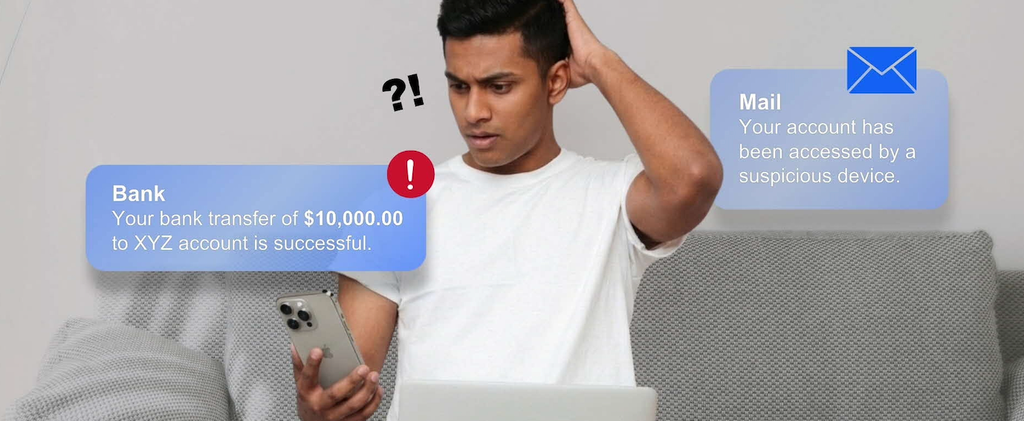
If you think you have been scammed, act quickly. Call your bank immediately, using the official number, and ask it to block or recall the transaction. Time is critical, since recovered funds are most likely when action is taken within minutes or hours. Provide the details of the transfer, such as the time, amount and recipient account. Change your passwords and secure any accounts that may have been affected.
Report the case to the police. The Anti-Scam Command, part of the SPF, operates a hotline at 1800-722-6688 for those who have just lost money to a scam. You can also report online through the police website, or call the police hotline on 1800-255-0000. In an emergency, call 999. Keep records of the messages, phone numbers, bank transactions and screenshots, and give the police all the information that you have.
Be prepared for an emotional reaction. Many victims feel shame or fear, and scammers rely on that. Remember that scams are crimes, and the victims are not at fault. Tell your family so that they can support you and avoid the same trap. If you need emotional support, speak to a counsellor or call a helpline that offers confidential assistance.
Do not respond to anyone who offers to recover your money for a fee. Recovery scams target victims for a second time. Authorities and banks do not charge a fee to help you, and they never ask for your passwords. If you are unsure whether a recovery offer is real, check with the police or the bank.
- Call the bank first: Ask the bank to act on the transaction without delay.
- Report to the police: Use the Anti-Scam hotline or the online channels, and keep records.
- Secure your accounts: Change passwords and review access to your email and banking apps.
- Seek support: Talk to family or a counsellor, and avoid recovery offers that ask for fees.
Write down what happened while the details are fresh. A timeline of calls, messages and transfers helps the bank and the police to trace the money. Include phone numbers, account names, website addresses and screenshots. If you gave away card details, ask the bank to cancel the card and issue a new one. Monitor your credit and your accounts for several weeks afterwards.
Helping Family Members Stay Safe
Older relatives are often targeted, and young people are not immune. Talk with family members about the common scams and the warning signs. Choose a calm moment, and avoid lectures. Use real examples from the news, and invite questions. People who feel respected are more likely to ask for help when something seems off.
Agree on a simple rule for the household. Before anyone transfers money to a stranger, shares a code or clicks a link in an unexpected message, they pause and ask another person. A family code word or a phone call to confirm a request from a relative can stop loved-one scams. Make it clear that asking is a sign of good sense, not of weakness.
Help older family members to set up their devices. Install ScamShield, turn on transaction alerts, set low daily limits and show them how to use the kill switch. Check that their phone is updated, and that they know the bank hotline number. If an older relative lives alone, check in regularly and watch for signs of unusual stress or secrecy, which may suggest that a scam is in progress.
Teach children and teenagers too. Young people may fall for fake online shops, game top-up scams, job offers and requests for account details. Encourage them to talk to you when they see something odd, and discuss the risks of sharing bank card details or lending accounts to others. Allowing a stranger to use your bank account can lead to criminal liability.
- Hold open talks: Share examples and listen without blame.
- Set a pause rule: Agree that nobody sends money or codes without a second opinion.
- Prepare devices: Install protection, limit transfers and save hotline numbers.
- Check in: Stay in touch with relatives who live alone.
Community groups can also help. Residents’ networks, community centres and the police run talks and outreach on scams, often in several languages. Attending one with a parent can be a pleasant outing and an easy way to learn current tactics. Share official warnings in family chat groups, but check that the source is an official agency before you forward anything.
Final Thoughts
Scam prevention in Singapore rests on three things, which are good tools, good habits and good reporting. ScamShield filters many fraudulent messages and calls, and bank safeguards such as transfer limits, money lock and kill switches add layers of defence. Your own habits provide the strongest layer. Pause when you feel pressure, verify requests through official channels and never share Singpass credentials or one-time codes.
Take a few steps this week. Install ScamShield, set sensible limits on your banking apps, turn on alerts and save the bank and police hotline numbers in your phone. Talk with your family about the common scams, and agree on a rule to pause and check.
Scammers adapt, and so do the protections. Keep up with advice from the SPF, MAS, banks and the National Crime Prevention Council. If something goes wrong, act fast and report. Quick action protects your money and helps the authorities to stop the next victim.
Read more about Singapore Trends
Frequently Asked Questions
1. Is ScamShield free to use?
Yes. The app is free to download from official app stores, and the helpline is available to the public. It works best when kept updated, and when you report suspicious messages and numbers. Beware of fake apps that use similar names.
2. Will my bank refund me if I am scammed?
It depends on the case. Banks assess each situation, and the Shared Responsibility Framework sets duties for banks and telecommunications operators in certain phishing cases. If you share your credentials or approve a transfer yourself, recovery is harder. Report quickly and check the MAS website.
3. Who can I call if I think a call is a scam?
Call the ScamShield helpline on 1799 for advice. If you have lost money, call your bank and the Anti-Scam hotline on 1800-722-6688. For emergencies, call 999. Do not call numbers provided in the suspicious message.
4. Can the police or a bank ask me for my Singpass password?
No. No legitimate agency or bank will ask for your Singpass password, one-time codes or face verification. Anyone who does is a scammer. End the call, and contact the organisation through its official number to confirm.
5. How do I set a limit on my digital banking transfers?
Open your bank’s app or website, and look for the settings that control transaction limits. Set a daily figure that suits your normal needs. If you cannot find the option, call your bank’s hotline and ask for help.
6. What should I do with a suspicious link I have clicked?
Do not enter any details. Close the page, run a security scan on your device and change passwords if you entered any. Call your bank if you shared financial details, and report the link through ScamShield or to the police.